Keys and the command palette
⌘K searches the whole editor, ⌘/ shows the keyboard cheatsheet.
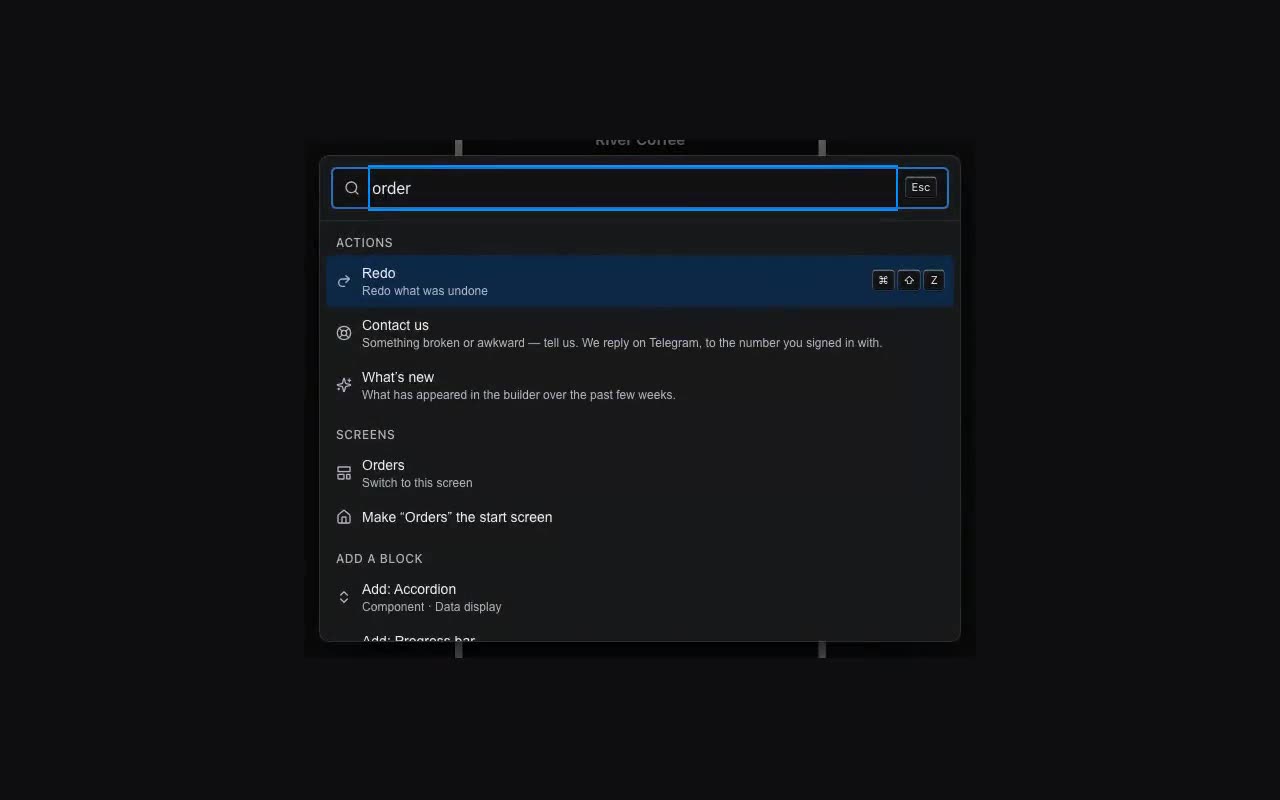
The command palette (⌘K, or Ctrl+K on Windows) is the fastest way to find anything: components, templates, screens, actions. Type the first letters.
| Keys | What it does |
|---|---|
| ⌘K | Command palette |
| ⌘/ | Keyboard cheatsheet |
| ⌘P | Preview |
| ⌘S | Save now |
| ⌘Z · ⌘⇧Z | Undo · Redo |
| ⌘⇧H | Edit history |
| ⌘D | Duplicate |
| ⌘⇧F | Search a component’s settings |
| ⌘] · ⌘[ · ⌘0 | Zoom in · out · fit |
| ⌘⇧← → ↑ ↓ | Walk the component tree |
| Esc | Deselect |