Cart and favorites
A list in the app memory: private to each visitor — a table cannot do this.
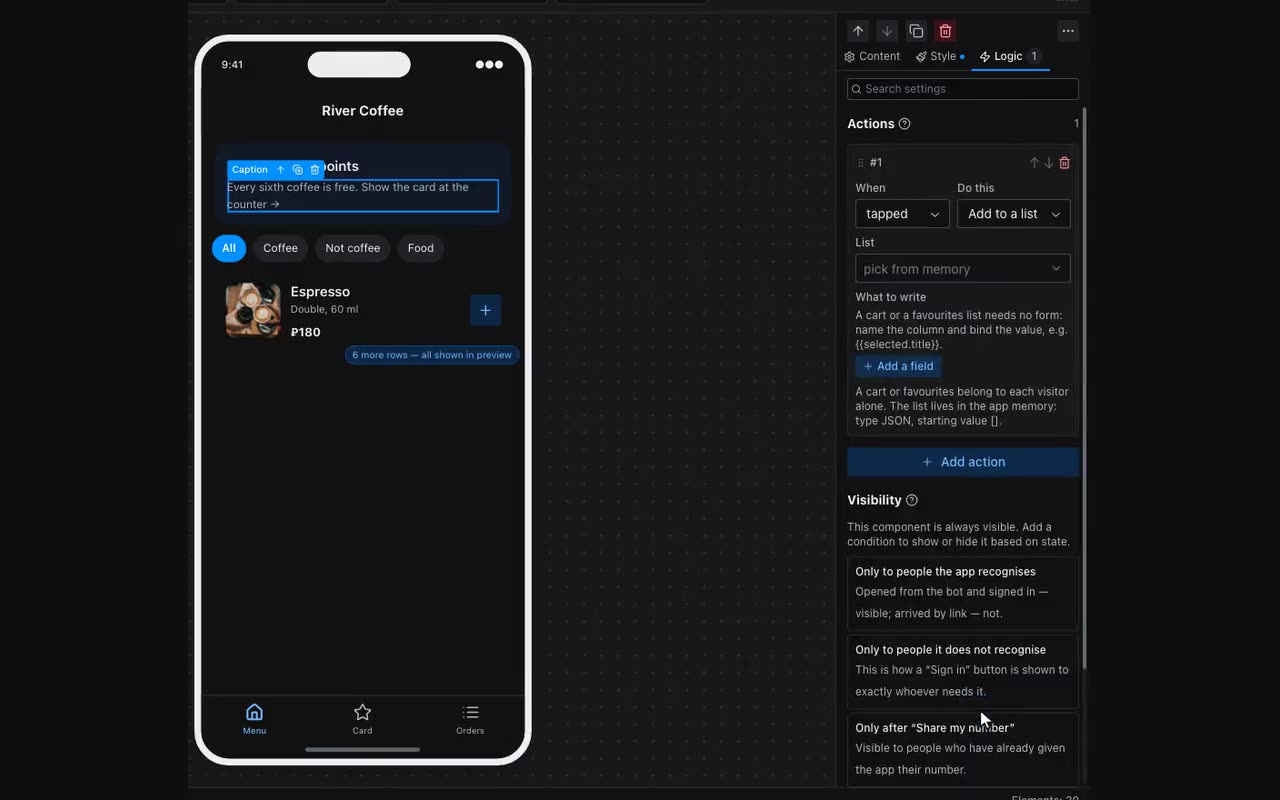
A cart is a table with the “Everyone writes their own” permission. An ordinary table is read the same by everyone and written by you; here it is the other way round — the visitor creates the row and only they see it. That is why a cart survives a reload: close the messenger, come back a day later, and it is still there.
- Create a
carttable withtitle,priceandimagecolumns and set “Records from the app: Everyone writes their own”. Do not type rows into it — the visitor creates them. - On the “Add to cart” button use Add a record: table
cart, and under “what to store” put columns and substitutions —title={{item.title}},price={{item.price}}. No form required. - On the cart screen put a List from a table with
cartas its source. Inside the card use{{item.title}}and a Remove a record button with{{item}}as “which record”. - The sum is the Total component: which table to add up (
cart) and which field (price). The badge over the icon is{{cart.count}}. - After checkout use Clear my records with the
carttable. It removes only the records of the person who checked out: other people’s carts, and anything you typed into the table yourself, stay put.