How to invite a teammate to a project
A teammate signs in with their own number and works on the same app: screens, publishing, data, submissions.
Where: The Team button in the editor top bar, More → Project team, or the people icon in the project row on the projects screen.
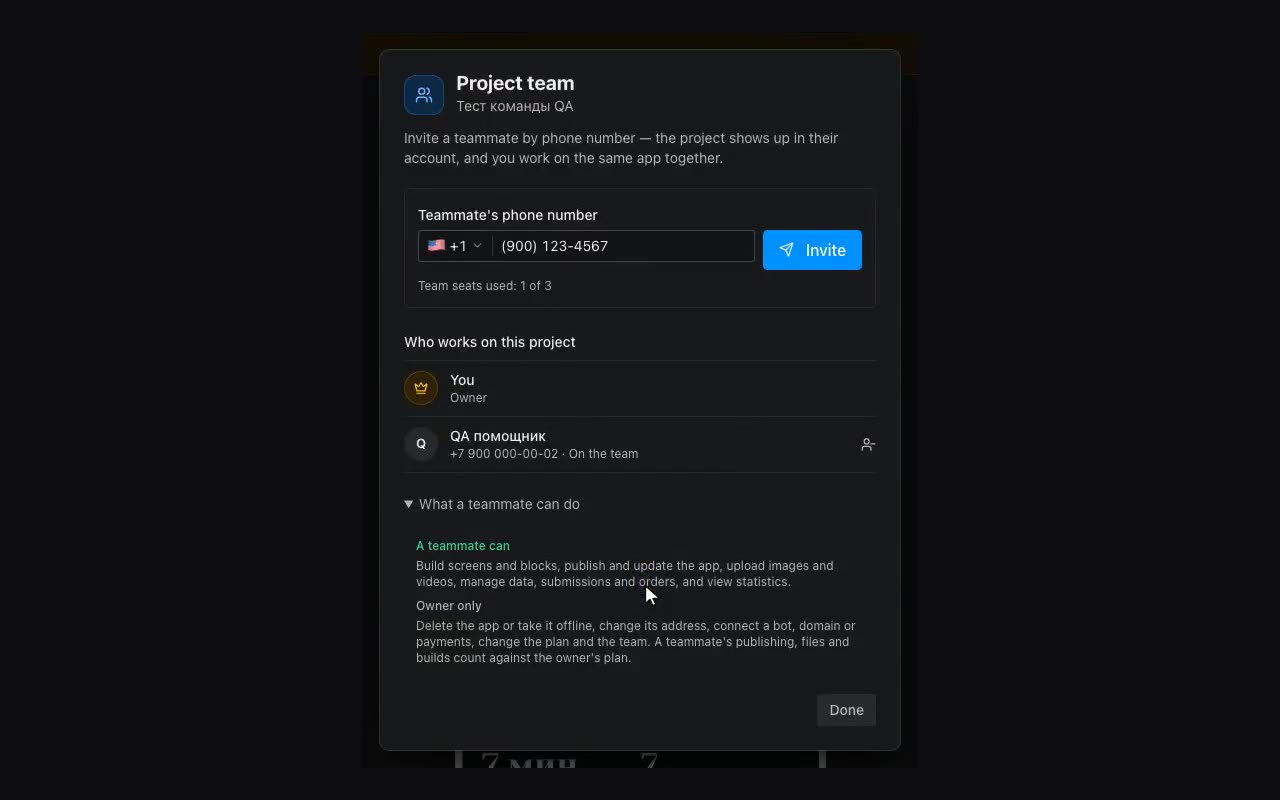
Type the phone number and press Invite. If the person already has an account, the project appears right away on their projects screen under Shared with me, and they get a message in their messenger.
If nobody has signed in with that number yet, the invitation waits: the list marks it “Waiting”. Copy the invitation with the button in the window and send it to the person — as soon as they sign in with that number, the project appears for them.
A teammate can build screens and blocks, publish and update the app, upload images and videos, manage data, submissions and orders, and view statistics. Only the owner deletes the app or takes it offline, changes its address, connects the bot, a custom domain and payments, and changes the plan and the team.
To remove someone, use the icon next to them in the team window; access ends at once. A teammate can also leave: the Leave project button in the same window or on the projects screen. The owner’s project stays as it was.