Connecting your bot
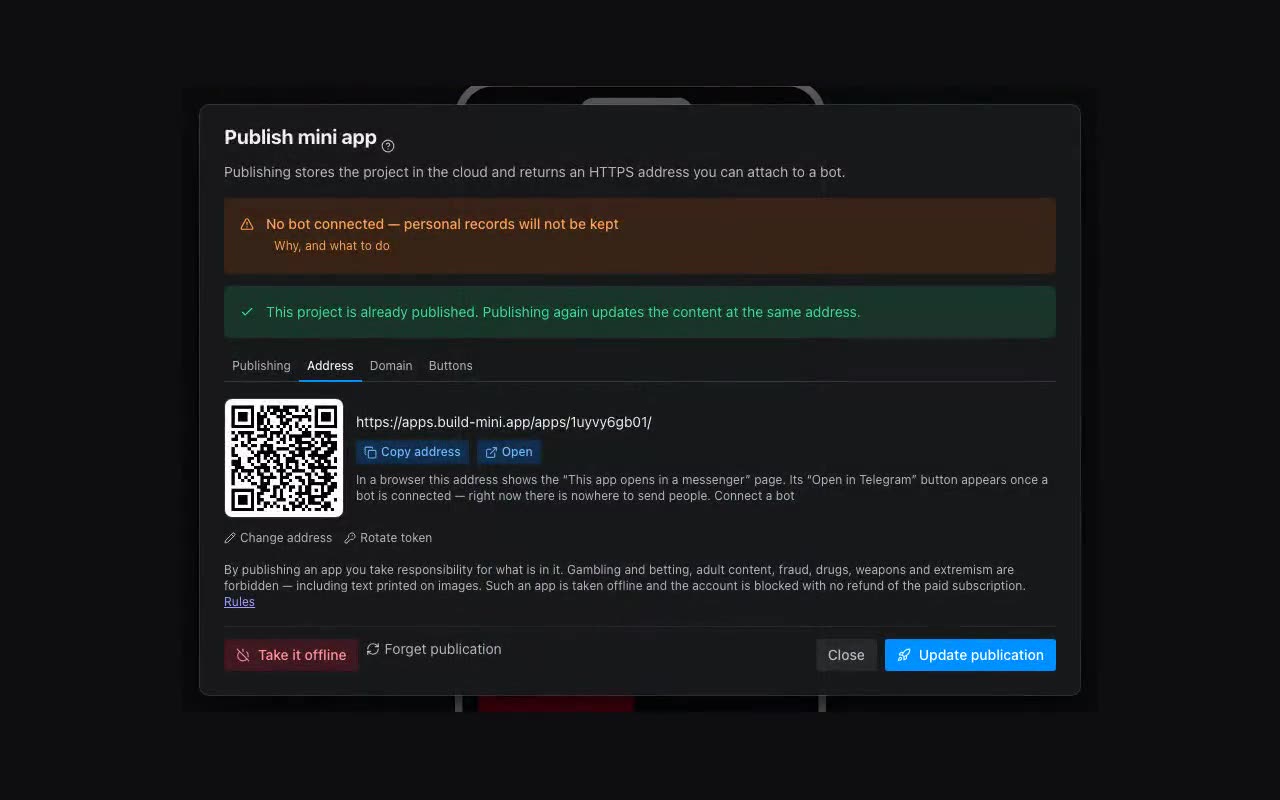
The mini app opens from your bot, and that same bot writes to your clients.
- Open @BotFather in Telegram.
/newbotif you do not have a bot yet;/tokenif you do and need its token.- Copy the long string that looks like
123456789:AA…and paste it into the Publish dialog.
Why it matters: the app opens from the bot, and messages to your clients — a booking confirmation, an invoice — come from it. Our bot does not write to your clients and has no right to.
MAX needs its own bot — the token comes from the MAX developer console (dev.max.ru). Its job is different: nothing is sent through it; it proves the visitor really came from the messenger. Without it, the name and phone in the app are merely what the person typed about themselves.
When you run several apps. Each app can have its own bot: one for the poster, another for the school. Add a second one with “Add another bot” — you may keep as many bots as your plan allows apps — and the Publish dialog will offer “Which bot this app opens from”.
The choice is not cosmetic: this bot is what verifies who opened the app. An app opened from a bot that is not assigned to it does not recognise the visitor — {{me.*}} stays empty and there is nobody to message.