Column types
Text, number, yes/no, image, file, date, time, random code, relation, select, multi-select, hall layout.
| Type | What for |
|---|---|
| Text | Title, description, address. |
| Number | Price, seats left. Sorting works numerically. |
| Yes / no | In stock, featured, hidden. |
| Image | An upload button right in the cell — or a link, if your images live elsewhere. An uploaded one is resized and re-encoded, so the list opens faster than it would with a heavy file from someone else’s site. |
| File | A document for the row — venue rules, a contract, a form: PDF, Word, Excel, TXT, CSV or ZIP up to 10 MB. In the app a button with the “Download file” action and the address {{item.rules}} hands it over; put the name it should be saved under into the action’s “Saved file name” field. |
| Date · Date and time · Time | Three separate types: a start time without a date stands on its own. Stored machine-readably, displayed via a mask. |
| Icon | A glyph from the project set — a different one per row. Bind it into an Icon block as {{item.icon}}. The cell shows the glyph itself: a built-in one is labelled with its name, an uploaded one is just the thumbnail, with no file address. |
| Random code | Fills itself: a ticket number, a booking code. |
| Relation | A pointer to a row in another table — one, or several (“many-to-many”). |
| Hall layout | Rows and seats in the same text the Seating chart block uses: every hall keeps its own layout, and one seat-picking screen serves them all. The cell shows the seat count; you edit next to a live hall. |
| Select | One value from a fixed set: “6+”, “8+”, “12+”. |
| Multi-select | Several values from the same set; the cell shows pills. |
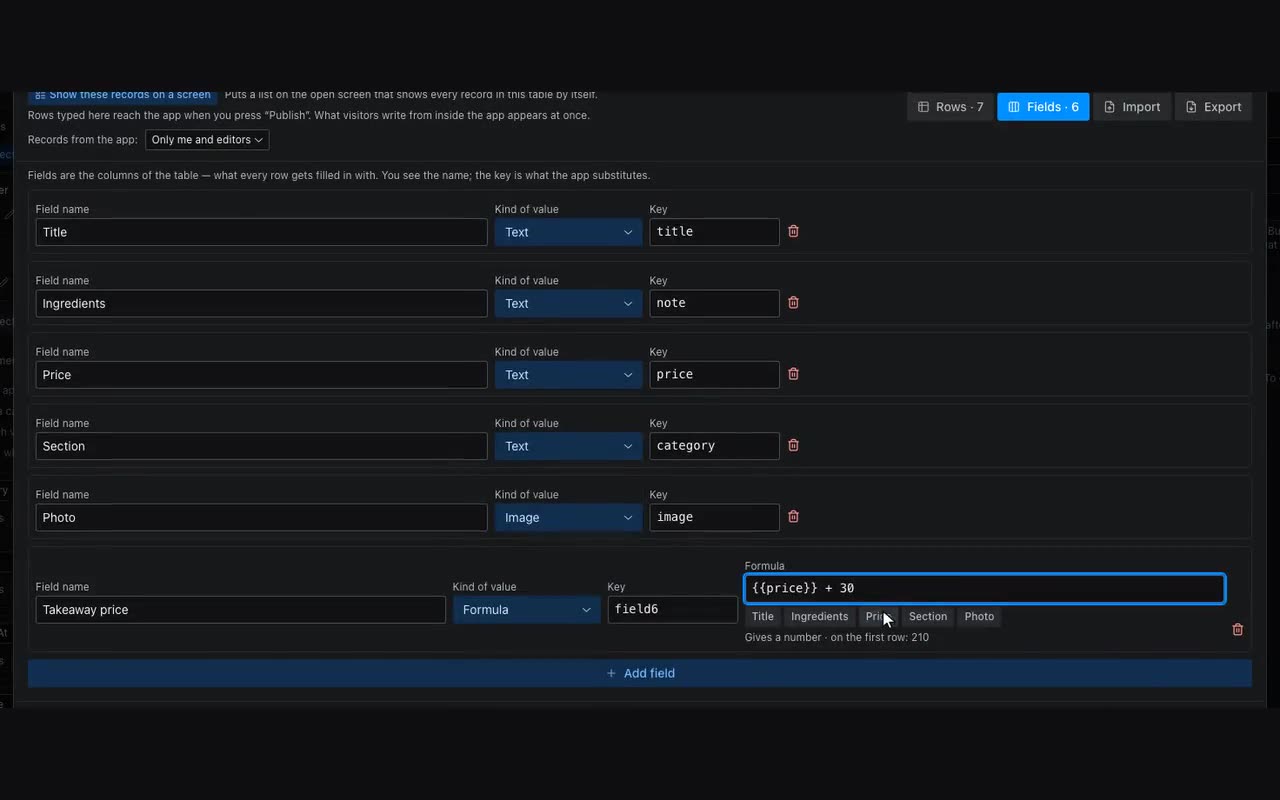
| Formula | Works itself out from other columns of the row: an event’s end, an order total. |
Dates have a display format — a mask such as D MMMM YYYY: D day, MMMM month in words, MM month as a number, YYYY year, HH:mm time. It changes appearance only: storage stays machine-readable, so sorting and “later than” comparisons keep working.
Drag the pills in the column settings to reorder options, and tap a pill to colour it. The colour reaches visitors too: filter chips and multi-select fields use it. A standalone Chip block — the one sitting in a repeater card — takes the colour once you name the column in its Option colours from a column field.
A Formula is worked out from other columns of the same row. Under the formula field are column buttons: tap one and it goes into the formula. An event’s end is {{dataTime}} + {{timeLong}}: the start plus the duration from a Time column (2:40 there means two hours forty). A duration can be written directly too: 2:40, 90m, 2h, 1h30m. The difference of two moments is a duration, a number added to a moment is minutes, and numbers add and multiply as numbers: {{price}} * {{qty}}.