Maintenance: closing the app for a while
Visitors see a notice page in Telegram, MAX and a browser, while you and your admins use the app as usual.
Where: The Publish dialog → the Publish tab → Maintenance.
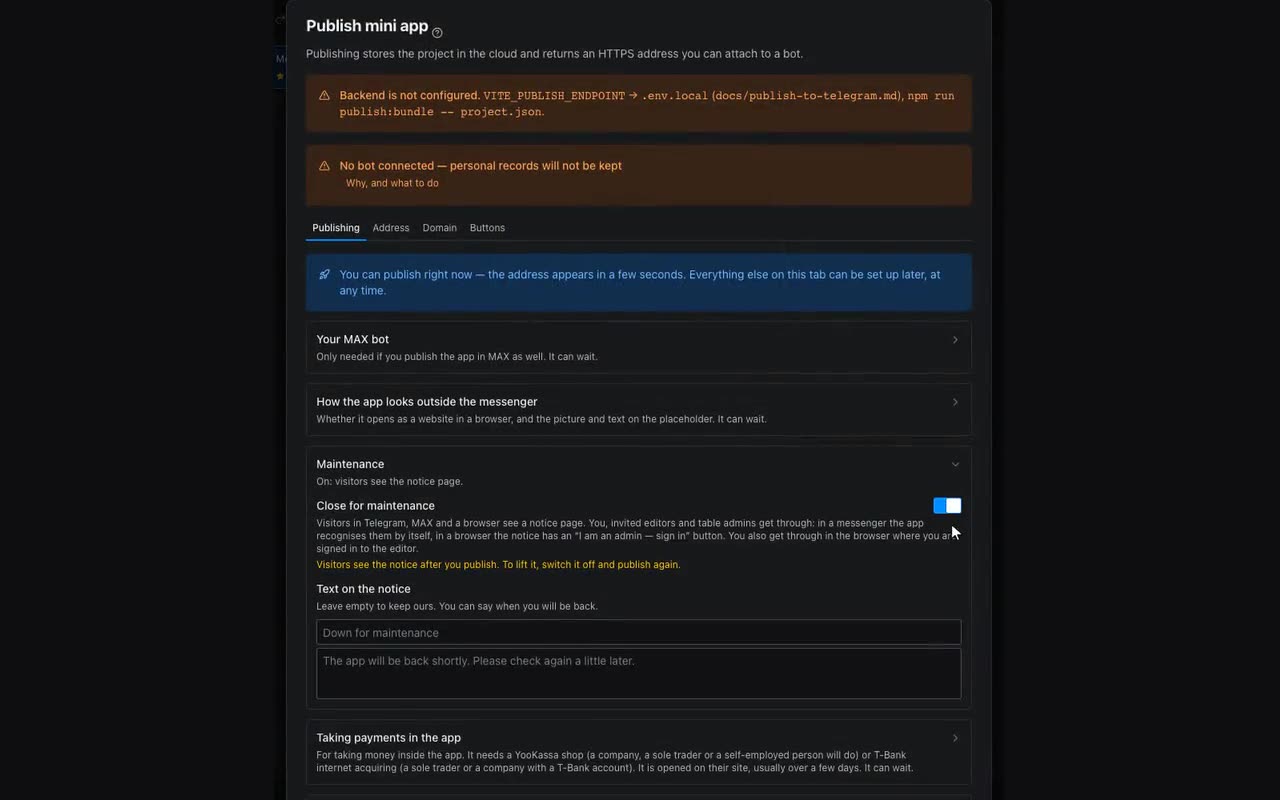
While you rework screens or move data, visitors are better kept out. Turn on Close for maintenance and press Publish: everybody who opens the app — in Telegram, in MAX or from a link in a browser — sees a “Down for maintenance” page. You can write your own text, like “Back at 6 pm”.
The people running the app do not see the notice: you, invited editors and table admins. In a messenger the app recognises them by itself — nothing to type. In a browser the notice has an I am an admin — sign in button: the code is confirmed in the same app inside Telegram or MAX. You also get through in the browser where you are signed in to the editor. Those who get through see a reminder that visitors see the notice.