The app as a site: signing in, search, installing
One app opens both in a messenger and from a link in a browser — with the same person inside.
Where: The Publish dialog → the Publish tab → How the app looks outside the messenger → Works as a site. It used to live in Project styles, which now links here.
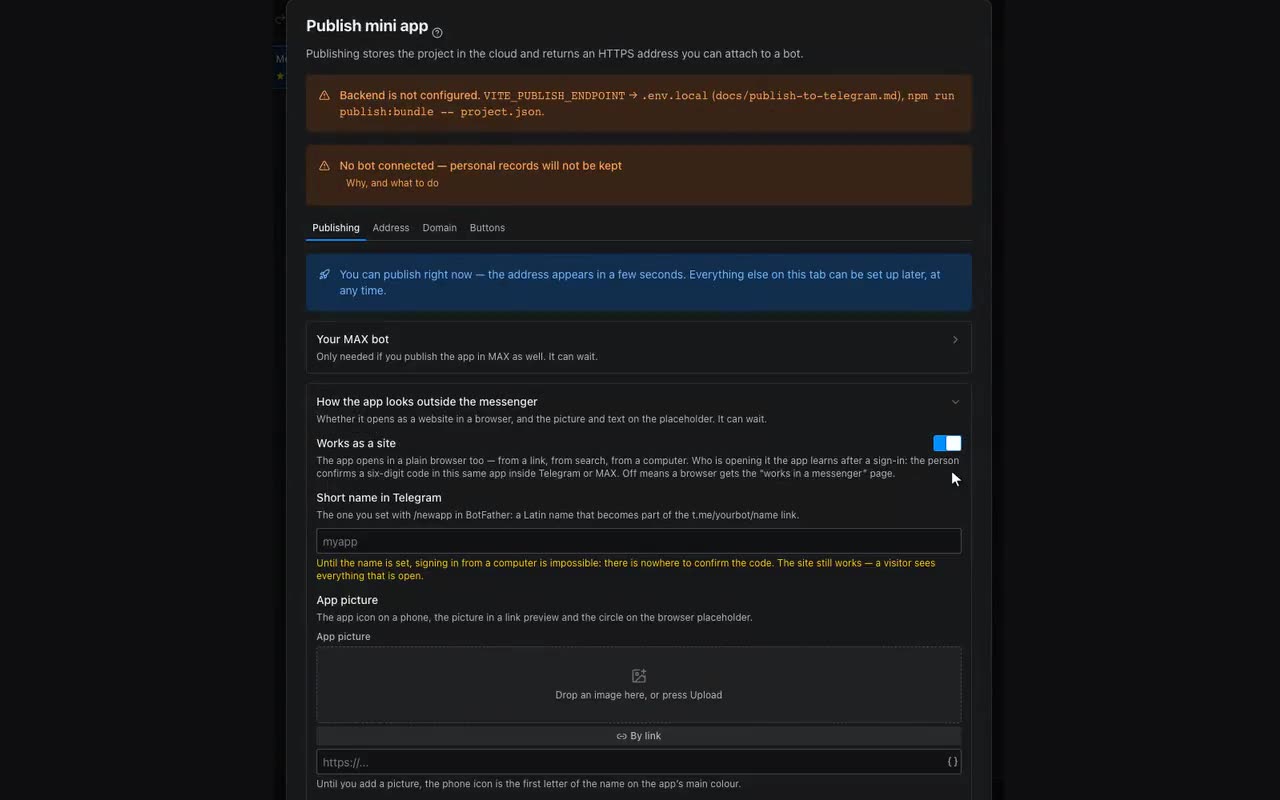
A mini app is built around having a messenger nearby: that is where the signed-in visitor comes from, where the theme comes from, and where a lead notification goes. So a browser gets a “works in a messenger” page by default. Turning on Works as a site removes it: the app opens for anybody — from a link, from search, from a computer.
Who opened the app in a browser it learns after a sign-in. The visitor sees six digits and confirms them in this same app inside Telegram or MAX, where they are already known. After that the browser holds the same person: their orders, their rows, their paid lessons. No SMS, no password: the proof already exists in the messenger, and we carry it across.
What everybody sees and what only signed-in people see is the block’s access rule — the Logic tab, “Who can see it”. The value Only people who signed in hides the content from anybody the app does not recognise: no addresses are left in the app document or in the page source. Leave the storefront, the prices and the descriptions open — they are read by the search engine and by the person still deciding.
The sign-in and sign-out buttons are yours to place: the block actions include Sign in (on the site) and Sign out (on the site). The display condition “Visitor is signed in” shows the right one of the two. In a messenger both stay silent — the person is known there anyway.
Search and links the app gets by itself. Every screen gains its own address — /schedule, /about — with its own title and description, so somebody arriving from search lands on the right screen rather than the home one. The title is the screen name; the description is the first sentence on the screen longer than thirty characters, or, if there is none, the screen and app names. To control the description, put a paragraph with a sentence about the screen on it. A link sent to a chat unfolds with a picture and a description. A sitemap and robots.txt appear alongside. Closed content never reaches search.
On a phone such an app installs like any other: the browser offers “Add to home screen”, and after that it opens from an icon — without an address bar, and without a connection if there is none. The icon is the app picture (Publish → How the app looks outside the messenger), the colours come from Project styles. Without a picture the icon is the first letter of the name.