Map
A place on a map — by address, by coordinates or by a Yandex Maps link.
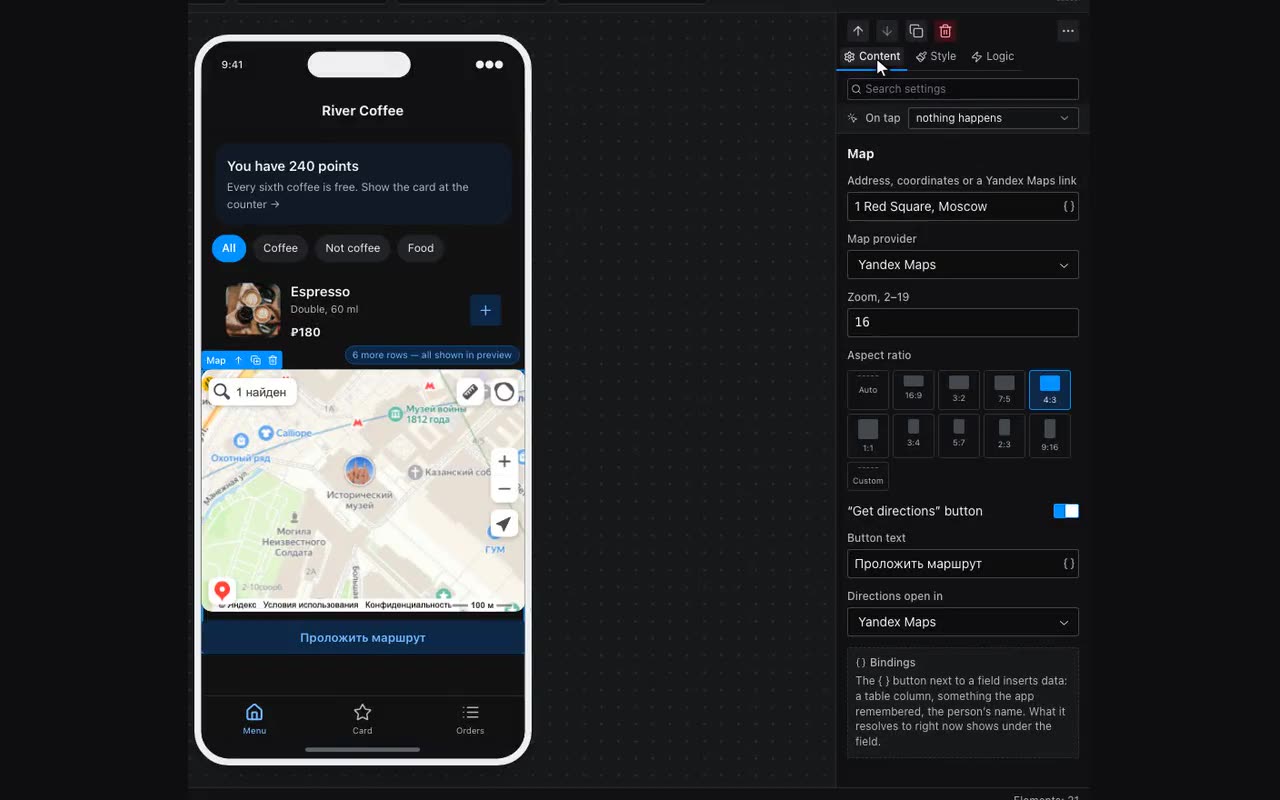
The Map block shows a place right on the app screen. It needs no API key and no developer account: the map is drawn either by Yandex Maps or by OpenStreetMap — pick one in the properties.
- Place is one field and takes any of three things: an address in words, coordinates (“54.5993, 52.456”), or a link copied from the Yandex Maps address bar.
- The map itself resolves an address, and OpenStreetMap only takes coordinates — its embed has no search. Pick it and you have to give coordinates.
- Zoom goes from 2 (country) to 19 (a single building). 16 shows a block — the usual choice for “where to find us”.
- The “Get directions” button under the map opens the navigation app on the visitor’s phone — Yandex, Google or 2GIS, whichever you choose, regardless of which map is shown. The route starts from wherever they are; the embedded map neither does that nor should.
The place can come from a table — {{item.address}} inside a repeater, or {{selected.address}} on a detail screen. One block then gives every branch, venue or listing its own map.