Animation: appear on scroll and hover
Blocks slide in when scrolling reaches them; buttons answer the mouse; button sizes and the pace of screen changes.
Where: The Style tab → Appearance → Motion (the folded group at the bottom). Hover and button size: the Content tab. Screen pace: More → App settings.
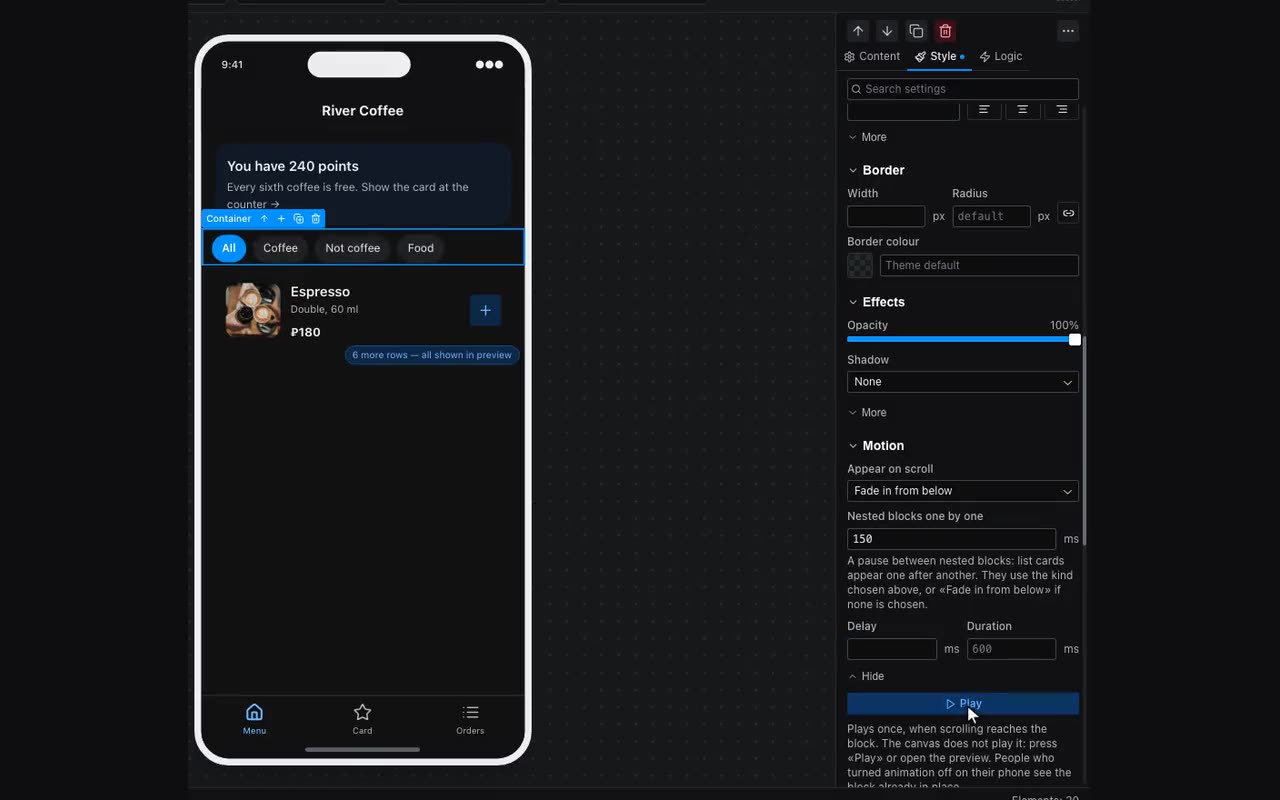
Appear on scroll: the block waits unseen until scrolling reaches it, then appears — Fade in, Fade in from below, Fade in from above, Grow, Out of a blur, Slide in from the left or Slide in from the right. Delay and Duration, in milliseconds, sit behind More. It plays once per visit: scroll back to the block and it is already in place.
Blocks that hold other blocks — containers, sections, cards, lists from a table — also have Nested blocks one by one — a pause between the children: list cards appear one after another instead of as a wall. They use the kind chosen above, or Fade in from below if none is chosen.
Showing by condition, smoothly. In the Logic tab, once a block has a visibility condition, “How it shows and hides” appears under it: Instantly (as before), Fade, or “Expand and collapse” — the block opens up in height and everything below slides down smoothly instead of jumping. The last one suits “Show more” and FAQ answers.
Mouse hover. Buttons, icon buttons, cards and pressable flexible blocks have an “Under the mouse (desktop and site)” group in the Content tab: Background on hover, Text on hover, Border on hover and Hover response — Lift, Darken or Glow. It works where there is a mouse: Telegram on a computer and an app opened as a site. Phones have no hover, and there nothing changes.
Button size is Size in the Content tab of a button and an icon button: Small, Medium (the old look) and Large — at least 48 points tall, which is what a thumb needs for the main action of a screen. While the button’s action is running — a form being sent, a payment going through — a ring spins inside it.
Screen transition pace — More → App settings → Screen transition pace: As usual, Faster (a shop, a catalogue), Calmer (a landing page, a portfolio, a studio) or No animation.