My components and blocks
A component is edited once and changes everywhere. A block is just a saved snippet.
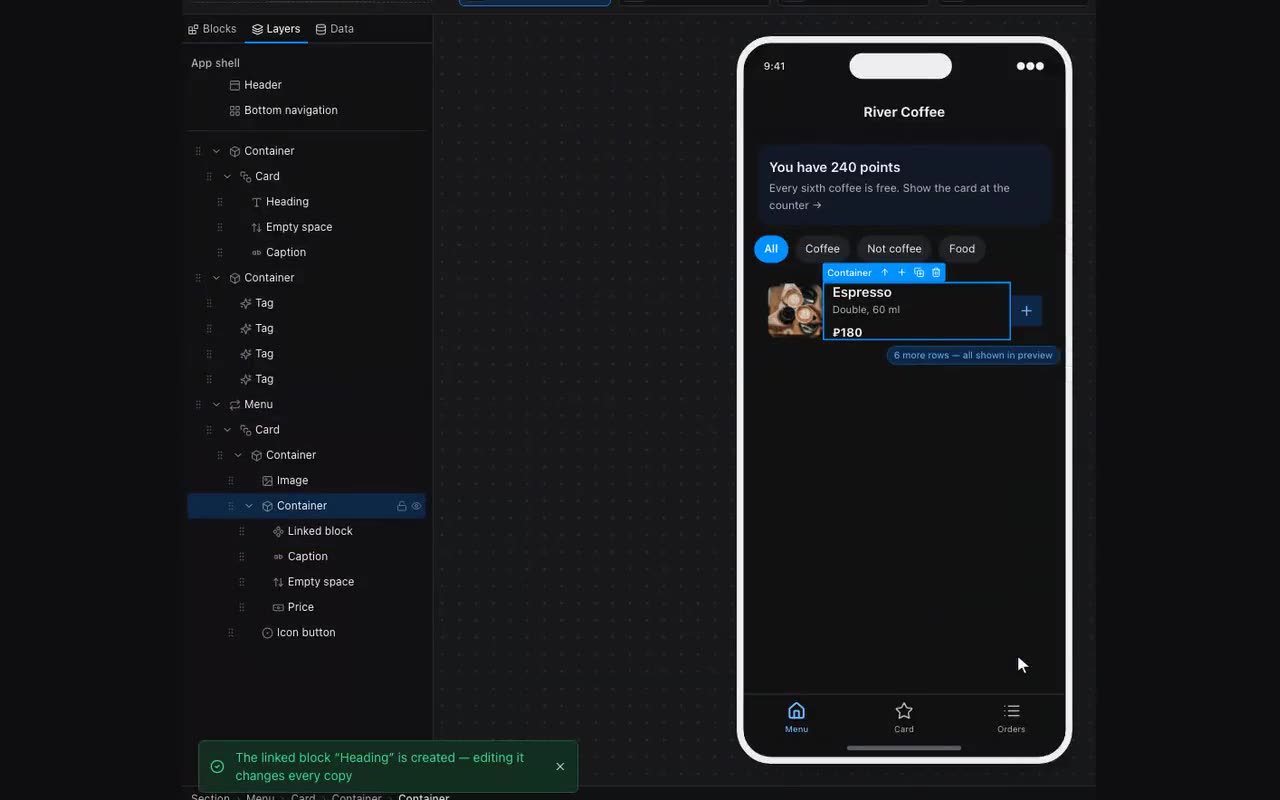
Built a card that repeats across five screens? Right-click → Save as component. From then on you place it from the panel, and editing the original updates every copy. The editor shows how many screens use it and refuses to delete it while instances remain.
Save as block is different: it is a snippet. Insert it and you get an ordinary copy with no link back. Good for “the header I start every screen with”.
Renaming a component happens in two places: the pencil in the My components list, and the Component name field in the right-hand panel — shown when an instance is selected or while the component itself is being edited. Renaming repaints nothing and touches no instances: it is only a label.
Remove from My components — the cross in the same list. If the component is placed somewhere, the editor asks what happens to those places: “Keep as copies” leaves the blocks on the screens as they are, they simply stop changing all at once; “Remove everywhere” deletes them along with the component. Detaching a single instance without touching the others is still done from the right-hand panel.
Separately there are styles: a component’s look can be saved under a name and applied to others. That shares the appearance while each keeps its own content.