Screens and the start screen
An app is a set of screens. One of them is the start screen: that is where everything opens.
Screens live in the strip at the top of the editor, under the toolbar; each shows its address in grey next to its name — /menu, /cart. “+” adds a blank one or a ready-made one from the templates; right-click a screen card to rename, duplicate, make it the start screen or delete it.
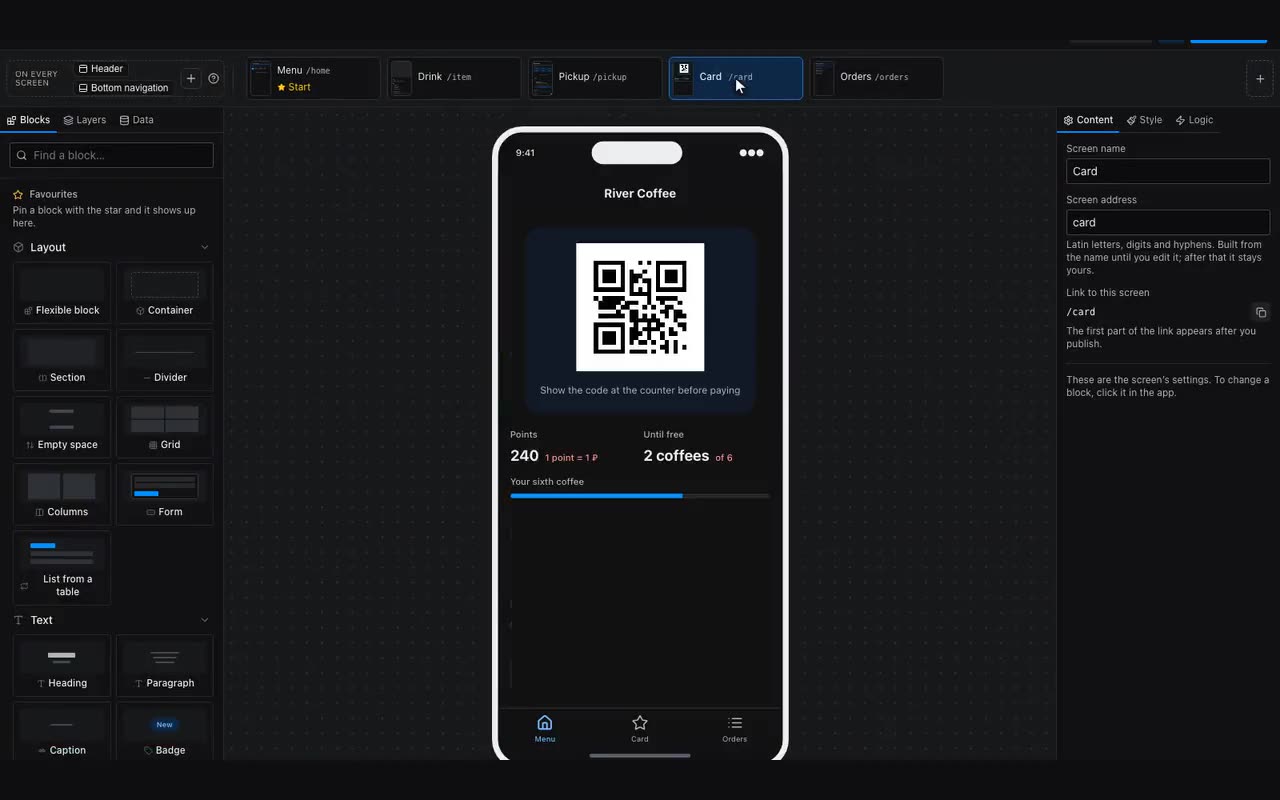
The start screen is marked in the strip. It is what opens when someone taps the button in your bot. Make sure it has content: an empty start screen opens as a blank rectangle in Telegram and explains nothing. The editor warns you about this before publishing.
Name, address and link. Click an empty spot on the canvas — the properties on the right, under Content, show the screen’s name, its address and the full link. The address is built from the name (“My account” → my-account), but you can rewrite it: settings, and the screen opens at your-domain.com/settings. That is the address you paste into your bot’s menu button in BotFather so it opens the right screen straight away. An address you rewrote by hand survives renaming the screen — it has already gone out in links and QR codes.