Editing text on the canvas
Double-click edits the text right in the block; on a phone, a second tap does. A strip above it does bold, italic and a link inside the text.
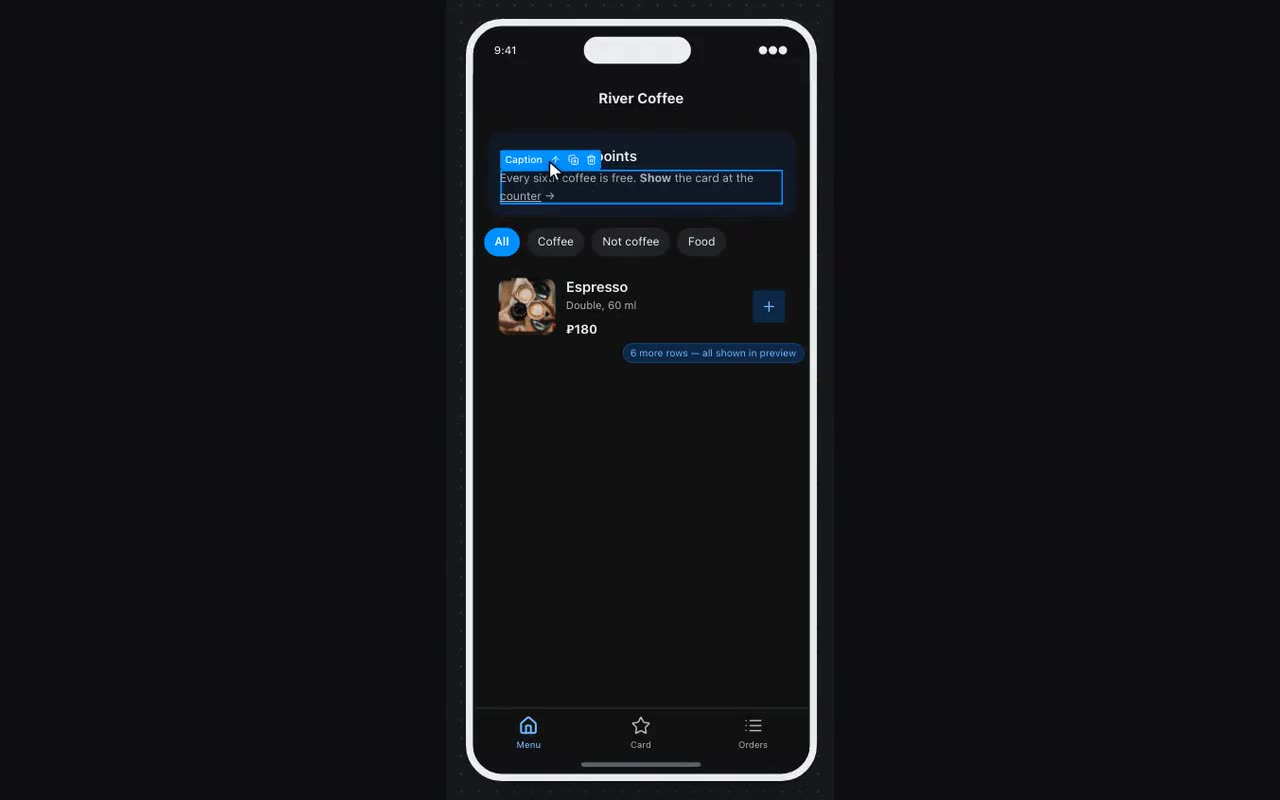
Text is edited where it is drawn: a double-click puts the caret into the block. The font, colour and width stay exactly what they were — you type in the block itself, not in a field pretending to be it. Enter finishes editing a heading, a button or a caption; in a paragraph and in a notice it types a line break, because there a line break is the point. Esc discards what you typed.
A phone has no double-click — a double tap zooms the page. The first tap selects the block, a second tap on it puts the caret in, at the end of the text rather than selecting all of it: on a phone you usually fix a typo, and the first letter should not wipe the whole heading. The properties sheet hides while you edit; tap elsewhere to finish. There is no strip of buttons on a phone: type bold, italic and links as marks, shown below.
While the caret is in the text, a strip with three buttons sits above the block. Select a piece of text and press: B for bold, I for italic, the chain icon for a link. The link is inserted as a template with the word “url” already selected: type the address over it and you get a label with the link behind it.
The same marks can be typed by hand — including in the property field, where the text is long:
**жирный** *курсив* [Правила посещения](https://example.com/rules.pdf)Where: Canvas → double-click a text block; the strip appears above it. On a phone — tap the block, then tap it again.