Anchor menus: scroll to a block
Prices, Reviews, Contacts buttons that lead down the same screen rather than to another one.
Where: A button → the Logic tab → Add action → Do this → Scroll to a block → Which block.
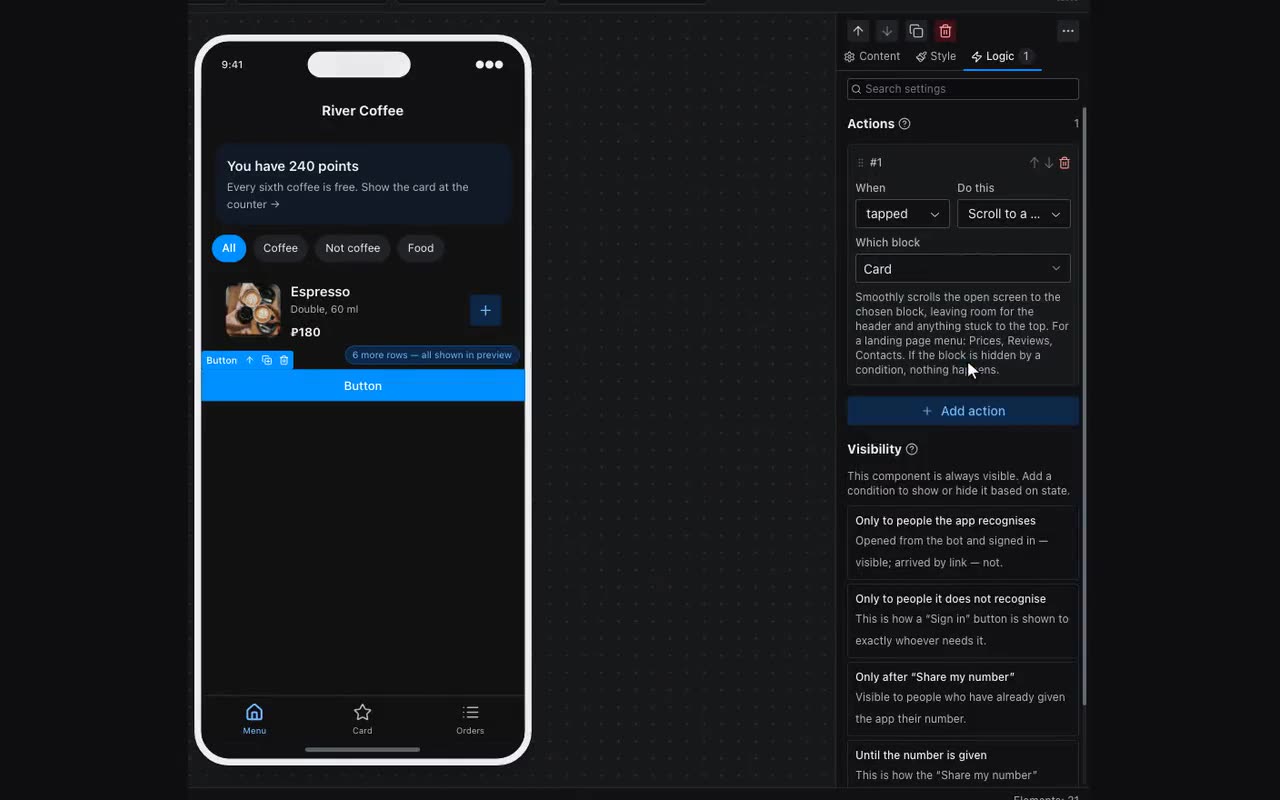
A landing page is one long screen, and its menu leads not to other screens but to its own sections: Services, Prices, Reviews, Contacts. The Scroll to a block action smoothly scrolls the open screen to the chosen block and leaves room under the header and any stuck bars, so the start of the section does not slide under them.
The Which block list holds the sections, containers, cards, headings, lists, grids, columns, forms, flexible blocks, images and videos of the open screen. They are labelled with the block’s name, and a heading also with its text: “Heading · Prices”. Name your sections in Layers and picking becomes easier.