Long text with subheadings and lists
Rules, a course description, “how to get here” — one paragraph with markup instead of a dozen blocks.
Where: The Paragraph block → the Content tab → Text formatting → Markup.
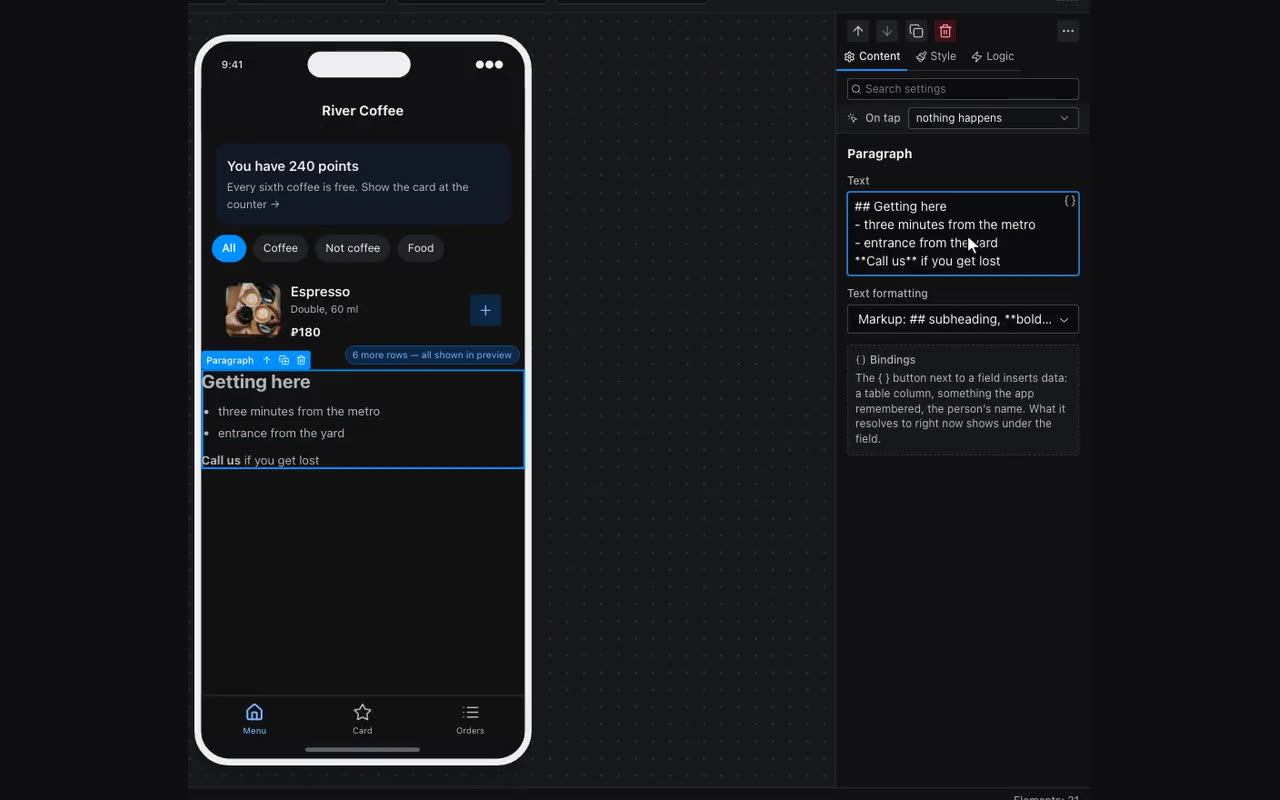
Long text — venue rules, a course outline, a service description — used to be assembled from a dozen Heading and Paragraph blocks, and it fell apart at the first edit. Now it is one Paragraph: set its Text formatting to Markup and write the way people write notes. Text from notes or from an email pastes in as it is.
## Subheadingand### Smallerare subheadings set in the heading font. A single hash is a subheading too, while#tagwith no space is not.- itemor• itemis a bulleted list,1. stepor1) stepa numbered one.- A blank line starts a new paragraph.
bold,*italic*and[label](https://…)work as in an ordinary paragraph. A link only works withhttps://orhttp://; anything else stays plain text.- Substitutions
{{…}}work inside, as everywhere: the article text can come from a table.