Window over the screen: burger, sheet, menu
Your own blocks over the screen — as a bottom sheet, a window or a side panel. Opened by an action from any button.
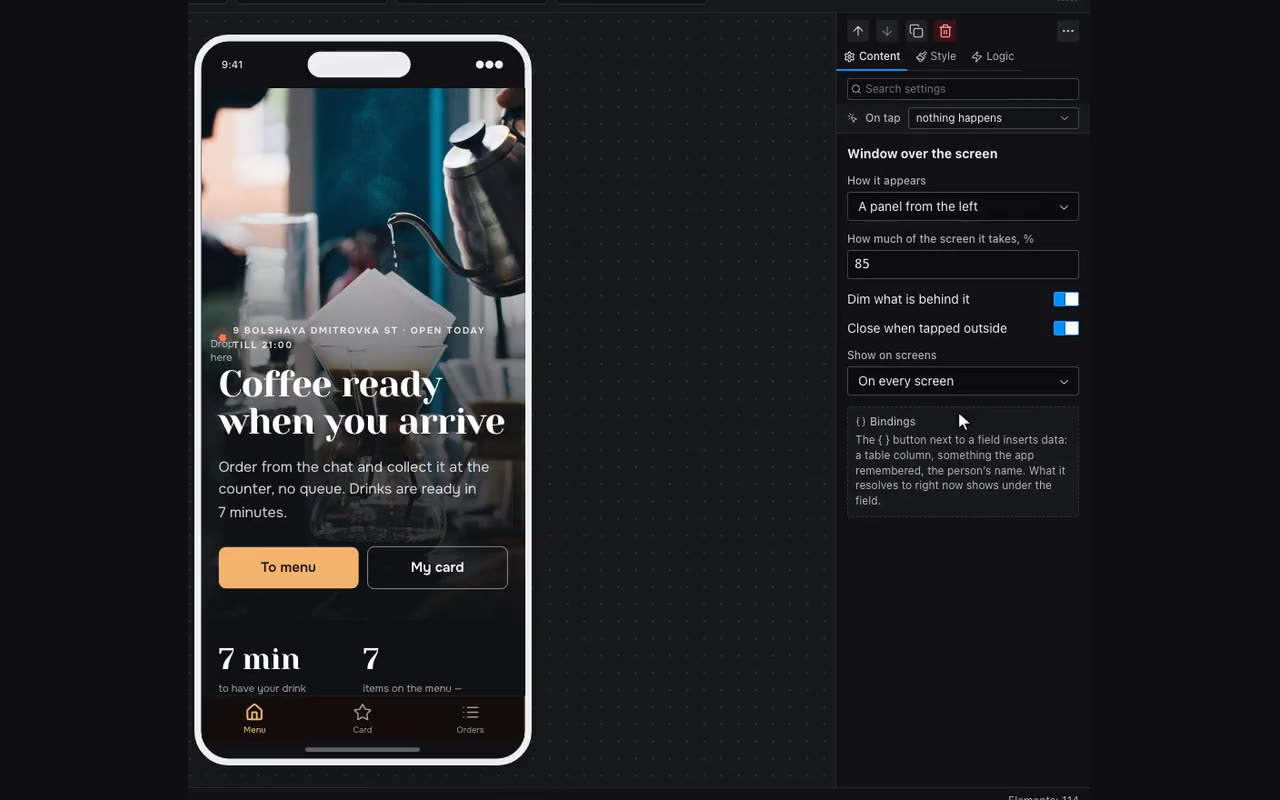
The Window over the screen block (under Navigation; the palette also finds it as “popup”) sits on the screen as an ordinary block and takes anything inside: a list of links, a theme switch, a form. The visitor does not see it until something opens it with Open the popup panel — a button, a header icon, a row or an avatar.
- How it appears: a bottom sheet, a window, or a panel from the left or right. A panel and a sheet take How much of the screen it takes, %; a window is placed by Where horizontally and Where vertically, and “right” plus “top” turns it into a dropdown under a header button.
- Show on screens: only its own, every screen, or the ones picked below. Build the menu once, on one screen, and open it from any, including a button in the pinned header.
- It closes on a tap outside (unless “Close when tapped outside” is off), on Back, and with Close the popup panel; a button inside does not need to know the window’s name. Moving to another screen closes it too.
- A burger menu: put a Window over the screen on a screen, set How it appears to a left panel and Show on screens to every screen.
- Put a Drawer menu inside: a list of rows, each with an icon and a screen.
- Add a burger icon to the header with the Open the popup panel action and pick this window.