Sectors: a stadium
Stand tiles with a price and what is left; seats come from the hall inside a sector.
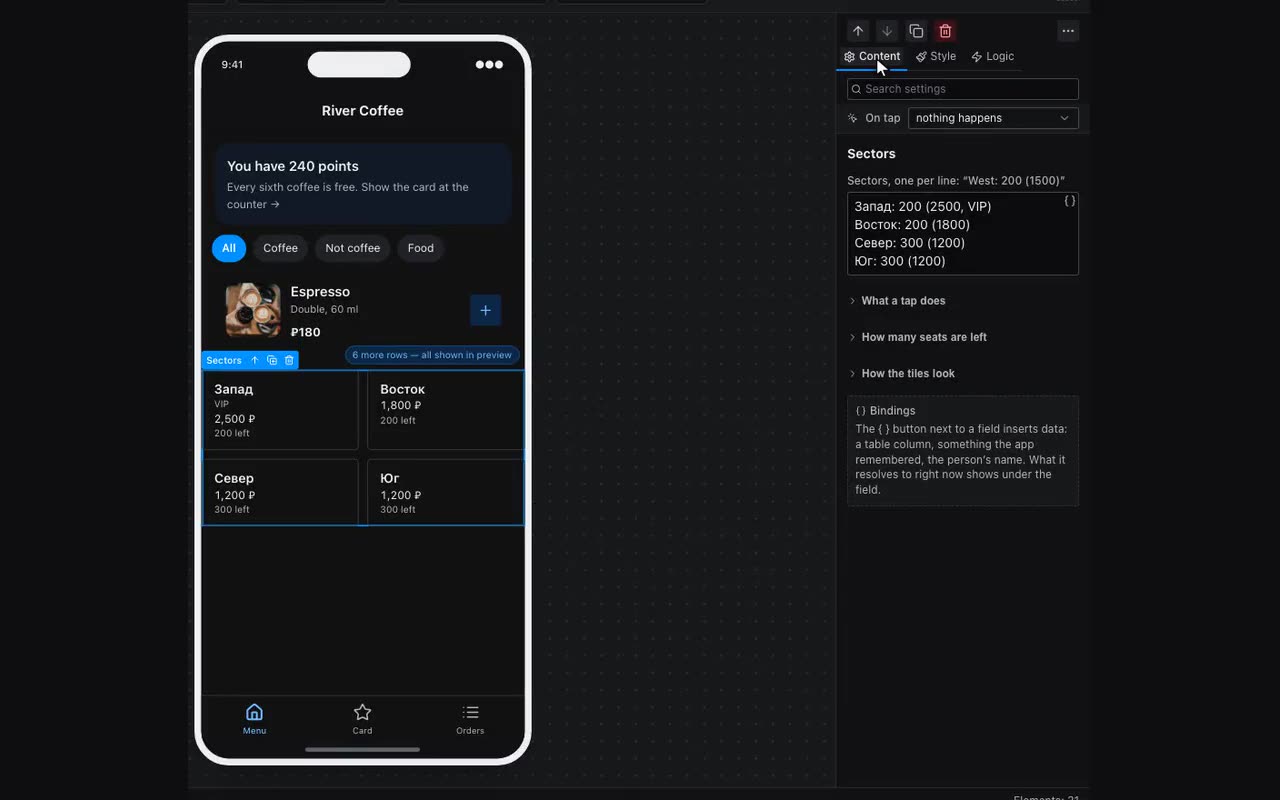
The Sectors block answers a stadium’s first question — which stand, not which seat. Forty thousand seats do not fit on a phone and cannot be tapped: ticketing sites show the stands with prices and what is left, and only inside the chosen one do they show a seating chart. Same here: tiles first, then the ordinary Seating chart block filtered by the chosen sector.
Sectors are written line by line, in the same language as the hall:
Запад: 200 (2500, VIP)
Восток: 200 (1800)
Фан-зона (900, стоячие)- The name comes first — that is how the sector is recognised in the bookings table: “West”, “A”, “Balcony”.
- Capacity comes after the colon. That is what “312 left” is counted from. Leave it out and nothing is shown — honestly so: a standing stand holds as many as security lets in.
- Brackets hold the price and the category, as in a row of seats:
(2500, VIP).
What is left is counted from the same table the bookings live in, by the column holding the sector name. How to count is decided by what you have already set up: a seat code column means seats are counted (an order for three seats is one row, and counting it as one would lie); a tickets column is summed; neither, and rows are counted.
Where: Block palette → Commerce → Sectors. A whole ready-made screen: Screens → Stadium — tiles, the chart under them and a booking.