Places map
Every row of a table as a marker on one map, filtered the same way as a list.
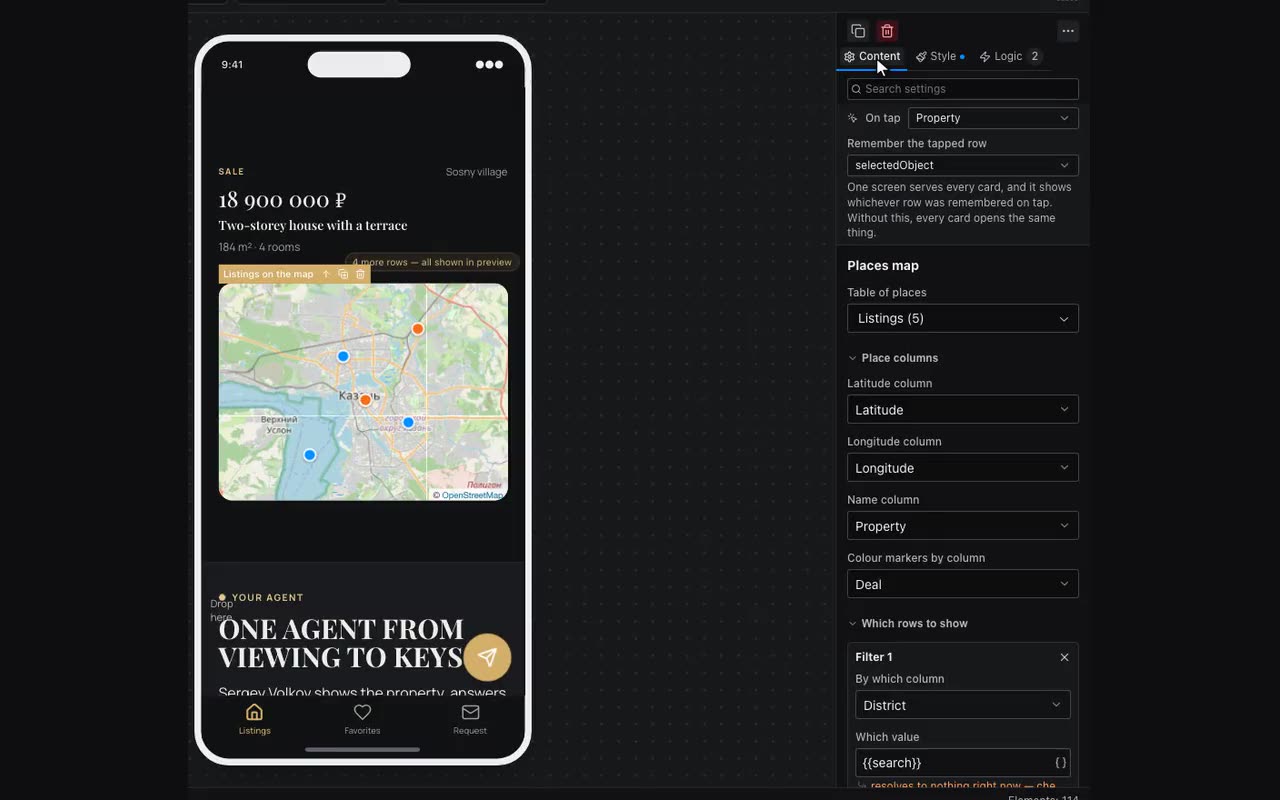
The Places map block puts a marker on every table row that has coordinates: campsites, branches, listings, pickup points. It is a list drawn as a map, so it is set up the same way as a List.
- Table of places and the columns: latitude, longitude and name. “Colour markers by column” colours markers by category, using the colour you gave that option in the data editor.
- Under the properties you see how many rows made it onto the map. Fewer than the table has means the rest lack coordinates or hold text instead of numbers.
- Which rows to show is the same filter as a list has. To make a filter bar narrow both the list and the map, select the bar and tick both blocks under “What to filter”: the editor fills in the map’s filter for you.
- Tapping a marker runs the block’s actions with that marker’s row in
{{item}}, just like a card in a list. To open a place card: “Set variable” ={{item}}, then “Go to screen”. With no actions, the map shows the place name itself. - Nearby markers merge into numbered circles, because eight hundred points on a country-wide map would otherwise blur into one blob. Tapping a circle zooms in.
OpenStreetMap works right away, with no key. Yandex Maps needs your own key: in the Yandex developer dashboard (developer.tech.yandex.ru) add the free “JavaScript API and HTTP Geocoder” and paste the key into the block’s properties. Leave “HTTP Referer restriction” empty: the Yandex map runs in an isolated frame that sends no Referer, so a restricted key will not open.
Places do not have to live in the editor. Connect the table to your own server (“Connect data” → “Your own address (REST)”), and the map and the list will read rows from there without any change to the screen.